The gradebook page is visible if your teacher or parent has given you access to your grades.
Each graph shows the course grade over time.
Click View Gradebook in a course box to be taken to the Gradebook for that course.
My Gradebook
Within your Gradebook, you can find an overall grade and a breakdown of grades by category.
.png)
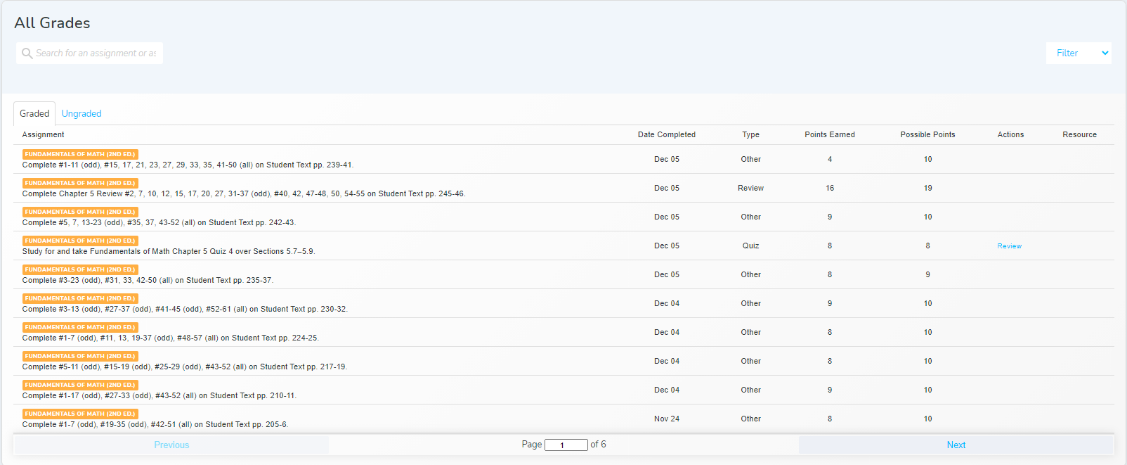
Filter to an assignment type.
Search for a topic here.
Filter to another course here.
The All Grades box lists both graded and ungraded items, each in a separate tab.
The Ungraded tab includes items that haven’t been graded as well as items skipped by your parent or teacher.
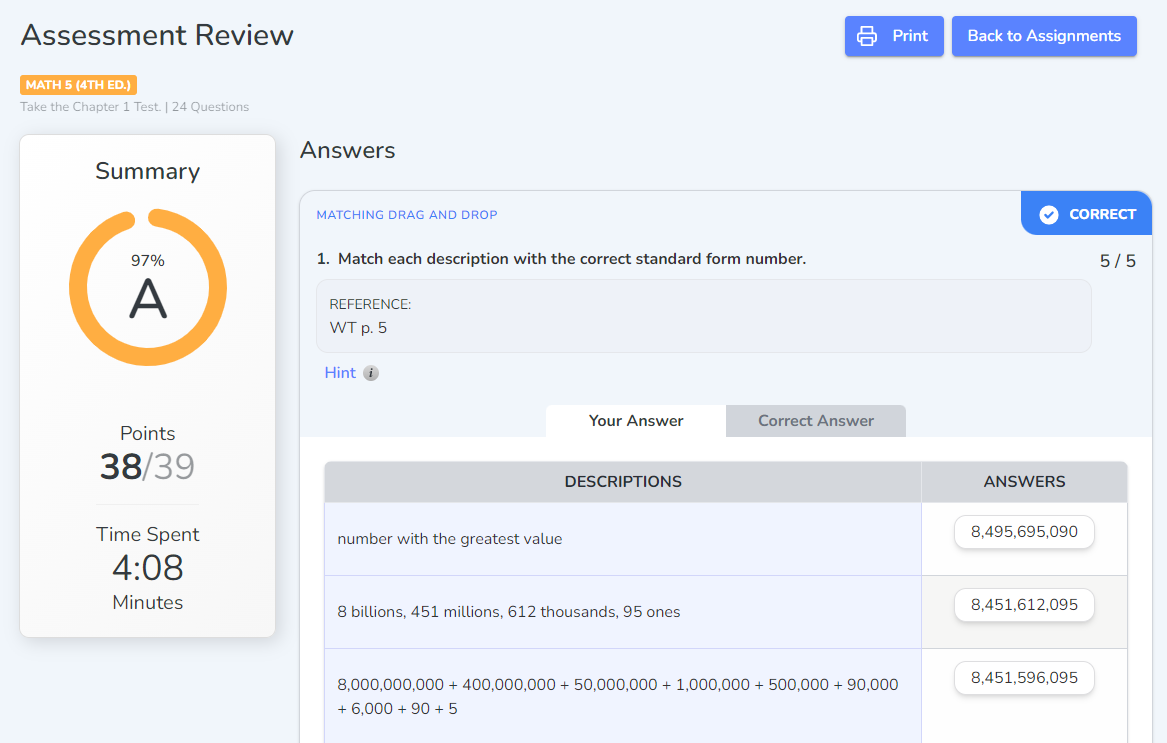
Review
After an assessment has been graded, it becomes available for review. The assessment review page has a summary with the overall grade, points, and time spent on the assessment. Each question displays your answer and the correct answer for review.