Click on your profile picture, your name or the gear icon to be taken to the Settings page. Here you can update your information, settings, and student’s settings.
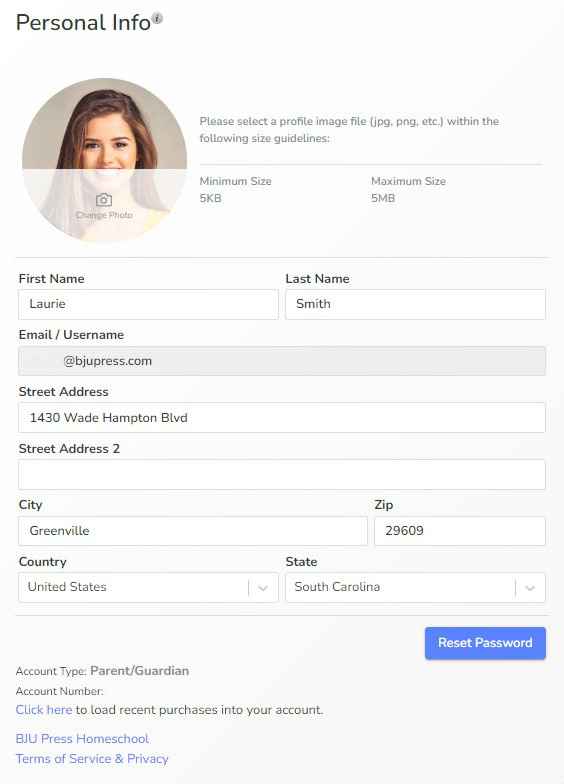
Add or replace your profile picture here. Note the size parameters.
Customization
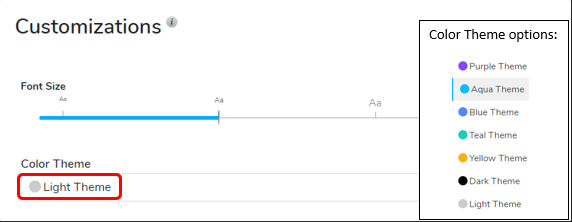
Directly below the Personal Info box is the Customization box. Here you can adjust the Color Theme and Font Size for your account or use the default theme of your organization.
My Students
The My Students box is located to the right of the page. Here you can edit or delete a student account.
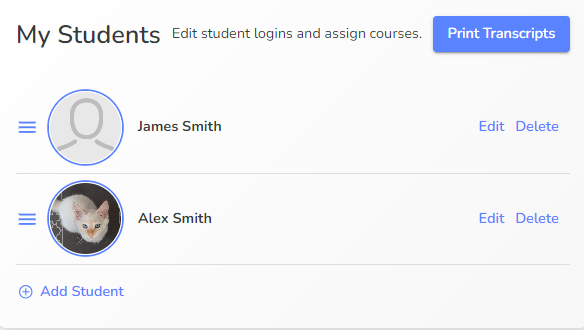
Edit or delete a student here. When you click delete, you will be asked to confirm.
Click and drag on the lines next to one student to change the order in which they appear.
Select Edit to adjust details and settings for the student.
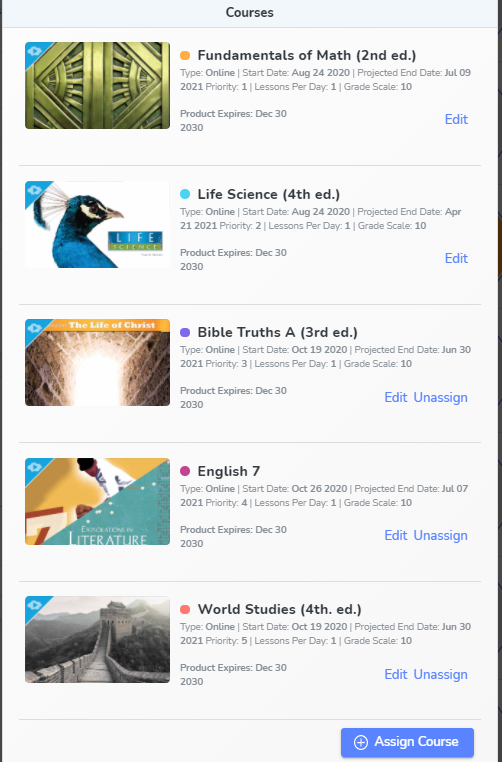
Choose Assign Course to add an additional course to the student. If your organization is assigning courses, they should do that from their Class Connect login.
Click Edit to change the course settings. The unassign button removes the course from the student’s account. You only have the option to unassign courses within the first 60 days.
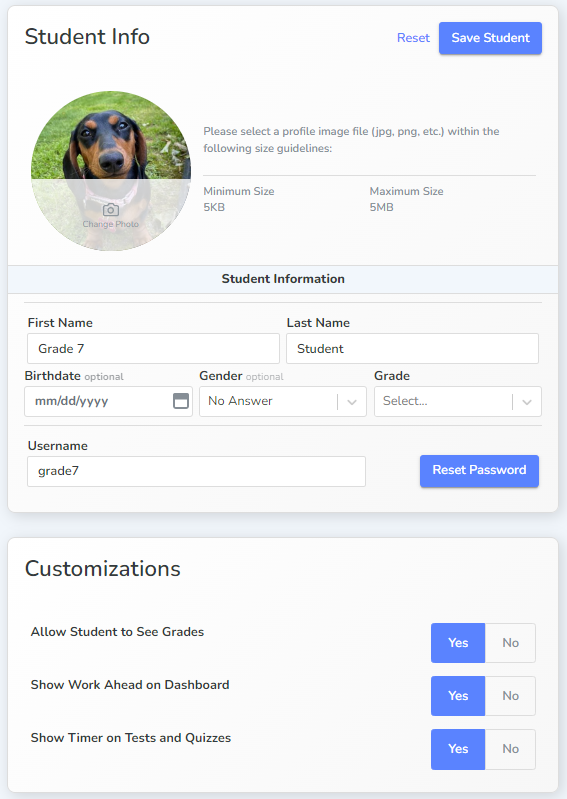
Make sure to click “Save Student” for any changes to Student Info or Customizations.
.png)
Late Notifications can be set to Never, after a day, after a week ends, or after a month ends. Click “Save Student” after any changes to Customizations.