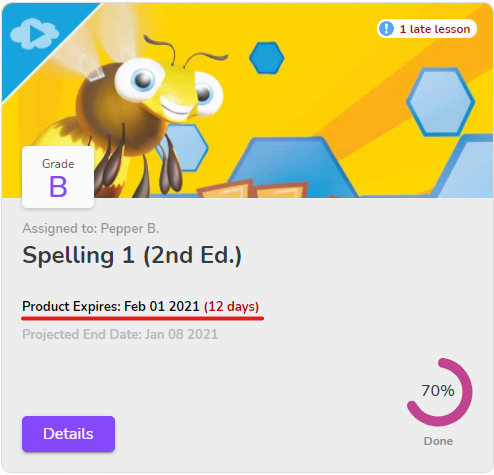
When your student has completed a course, you have the option to finish the course or remove it from your account. A course can be completed at any time using the Complete Course button at the bottom of the last lesson’s page.
Completing a course removes it completely from the student’s Class Connect account. All lessons, assessments, and tasks will be deleted. It is essential to download all documents that you may need from the course, such as individual assessment grades, assignment materials, progress reports, and attendance reports. The overall course grade still appears on your student’s transcript, based on all graded assignments at the time the course was completed.
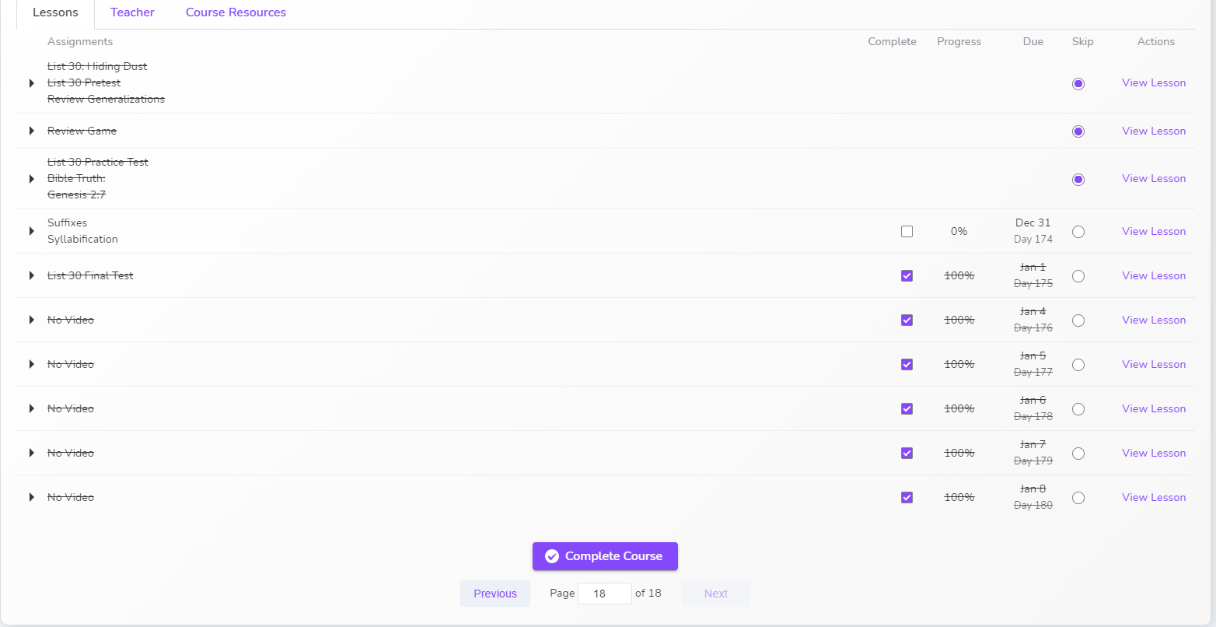 To begin the course completion process, go to the course page. Once on the Course page, from the Lessons tab, navigate to the last page (example: page 18 of 18). The Complete Course button is on that page.
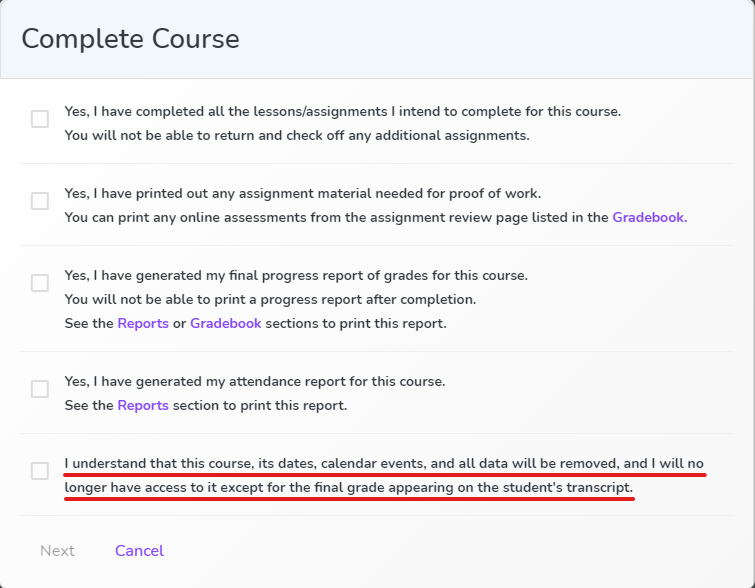 When you select the Complete Course button, a box appears asking a series of questions to make sure that you have downloaded all needed items from the course gradebook and all needed report documents. Please read through these points carefully and complete all tasks listed before completing the course. After marking each listed item off, the Next button will appear.
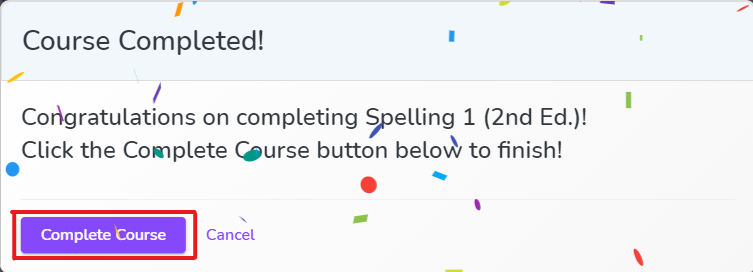 There will be one final opportunity to confirm your decision to complete the course. Once the Complete Course button in this box has been selected, the course deactivates and only the final grade will appear on your student’s transcript.